English




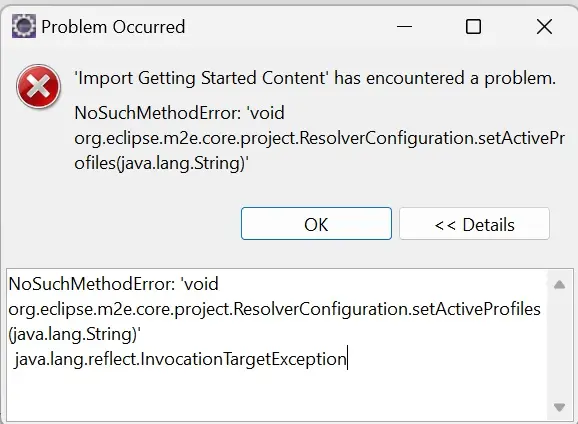
NoSuchMethodError: 'void org.eclipse.m2e.core.project.ResolverConfiguration.setActiveProfiles(java.lang.String)' java.lang.reflect.InvocationTargetException
When attempting to create a Spring Starter Project in Eclipse versions after September 2022, users may encounter a 'NoSuchMethodError' related to the 'org.eclipse.m2e.core.project.ResolverConfiguration.setActiveProfiles(java.lang.String)' method. This error is caused by compatibility issues between the Eclipse version and the Spring Starter Project configuration.
In this documentation, we will explore the steps to resolve the 'NoSuchMethodError' and provide a workaround by using earlier versions of Eclipse that are compatible with Spring Starter Projects.
Step-by-Step Guide to Resolving the 'NoSuchMethodError' Issue:
1. Backup Your Workspace:
Before proceeding with any changes, it's essential to back up your Eclipse workspace. This precaution ensures that your projects and configurations are safe in case anything goes wrong during the process.
2. Remove the Current Eclipse Version:
If you are using a version of Eclipse after September 2022-09 and are experiencing the 'NoSuchMethodError,' consider uninstalling that version.
3. Download an Earlier Version of Eclipse:
Go to the Eclipse official website or another reliable source and download an Eclipse IDE version that earlier than 2022-09 version.
4. Install the Earlier Version:
Install the downloaded Eclipse version on your system, following the usual installation procedure.
5. Import Workspace Projects:
After installing the earlier Eclipse version, import your workspace projects into this new installation. The projects should remain intact, and you should be able to continue your development work seamlessly.
6. Now try to create new Spring Starter Project
Now if you try to create new Spring Starter Project then you won't get any problem with the Earlier version's of 2022-09 version.